
Specialised music gear.
Designed and crafted with care.
Midivex v1.3.3: Six New Features for Live Performance
Hands-free Latch and Hold per synth, MIDI-mappable volume faders, Patch Lock, Spotlight controller routing, and two new chord voicings (Barry Harris and Quartal).
Midivex Version 1.3.3 brings new performance features enabling creative jams with hands-free Latch and Hold per synth, MIDI-mappable volume faders, lockable patches you can jam on, modify, then return to a clean patch start.
The new Spotlight mode auto-routes your controller to the synth you click for immediate playing, plus the Chord module has two new chord voicings from the jazz world and smarter modifiers that stay in your chosen key automatically.
Live Performance
Latch and Hold
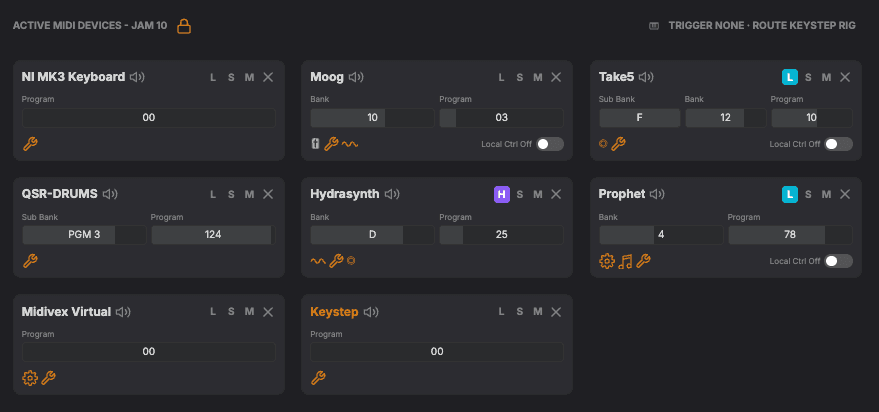
Engage Latch on any active device to play hands-free. Tap a note to play, tap the same note to stop, or switch to Hold to stack notes one after the other. Latch state is per-device and remembered in the patch.
- Lay down a sustained pad on one synth and play melody on top without a hand on the keyboard
- Latch a chord, switch chords cleanly with a single press (the previous chord releases)
- Hold mode stacks notes additively for evolving textures
- Per-device, so different synths in the same patch can be in different latch states
Volume Fader and Fade-Ins
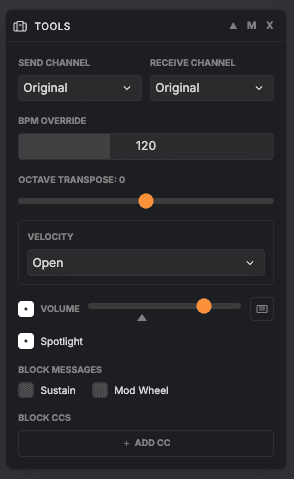
Each synth in a patch can have its own volume fader, mappable to any hardware controller, with a start position (a small triangle under the fader) so patches load at the volume you want and fade in live.
- Set a fade-in patch to start at 0 and bring it up live with the mapped fader
- Soft takeover prevents the synth jumping when the hardware fader does not match the slider position yet
- Works with hardware synths automatically. VSTs may need a one-time MIDI Learn inside the plugin
Patch Workflow
Patch Lock
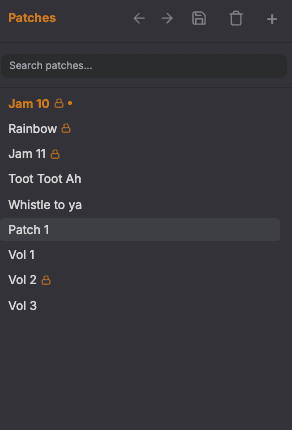
Lock a patch and play it freely all session without losing the original. Reload anytime to start clean for the next take.
- Tweak LFO rates, chord keys, trance patterns, mute and solo balance during a 20-minute jam without committing changes
- An orange dot on the patch shows when your live state has diverged from the locked snapshot
- Switching to a different patch reverts the locked one automatically, so only the patch you are playing can drift
- Unlock prompts before discarding the snapshot, since that cannot be undone
Spotlight
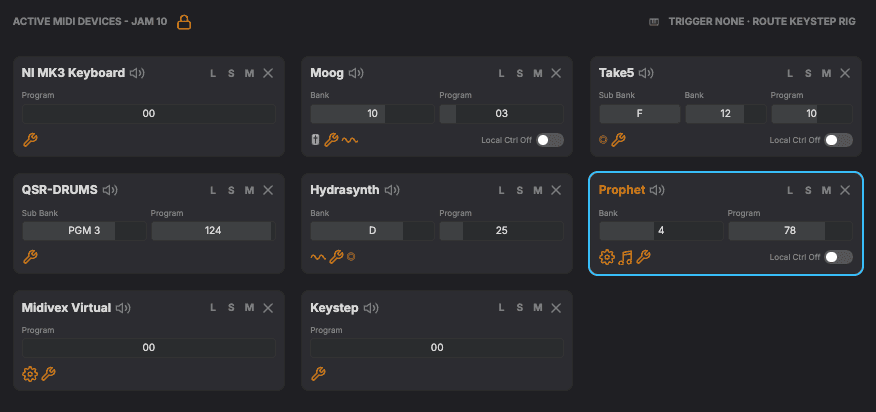
Got several synths with MIDI routed to one keyboard controller? Enable Spotlight in the Tools effect and your controller just sends MIDI to the highlighted synth. Highlight another synth to auto-switch to that route.
- Audition each synth in a multi-synth patch with one click, no muting or routing changes
- A sky-blue ring around the active target makes the current destination visible at a glance
- Latched notes on the previous target keep playing when you switch
Chord Effect
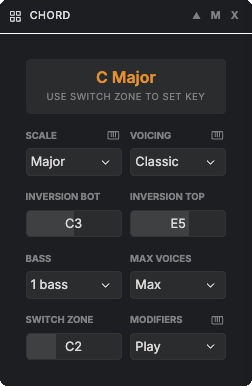
Two New Voicings: Barry Harris and Quartal
Two new entries in the Chord effect’s voicing menu, alongside Classic, Wide, Cinematic, and Fifths.
- Barry Harris, the classic jazz tonic-6 / passing-diminished approach. Tonic-6 inversions on chord-tone degrees, symmetric diminished-7 on passing-tone degrees. Tonic flavour follows the active scale (major 6 in major and mixolydian, minor 6 in minor and dorian).
- Quartal, stacked diatonic fourths from the played note. Three voices by default for the canonical modal sound (think McCoy Tyner or So What). Diatonic 4ths, not forced perfect 4ths, so the voicing always sits in the active scale.
Smarter Chord Modifiers
The Chord effect’s modifiers stay in your chosen key automatically. Hold any modifier with any chord and it always sounds musical.
- The “7” picks the right seventh for the chord, major or minor
- The new “add6” gives the sixth that fits the scale
- “sus2” and “sus4” follow the key too
Smaller fixes that add up
Latch and Hold release cleanly on virtual ports (VSTs now stop on transport STOP, panic, and Latch toggle). Panic releases VSTs that ignore CC 123 All Notes Off. And the Chord effect no longer silences notes still claimed by an overlapping active chord.