Take control of
your plugin library.
Plugoff scans, organises, and offloads your audio plugins so your DAW loads faster and your sessions stay clean.
Free for Mac and Windows. AU, VST, VST3, and AAX.
Your plugin library, tidied up.
Unused plugins can be offloaded to a folder or external drive, leaving just the plugins and formats you need. Your DAW will load faster and won’t be littered with outdated or demo plugins.
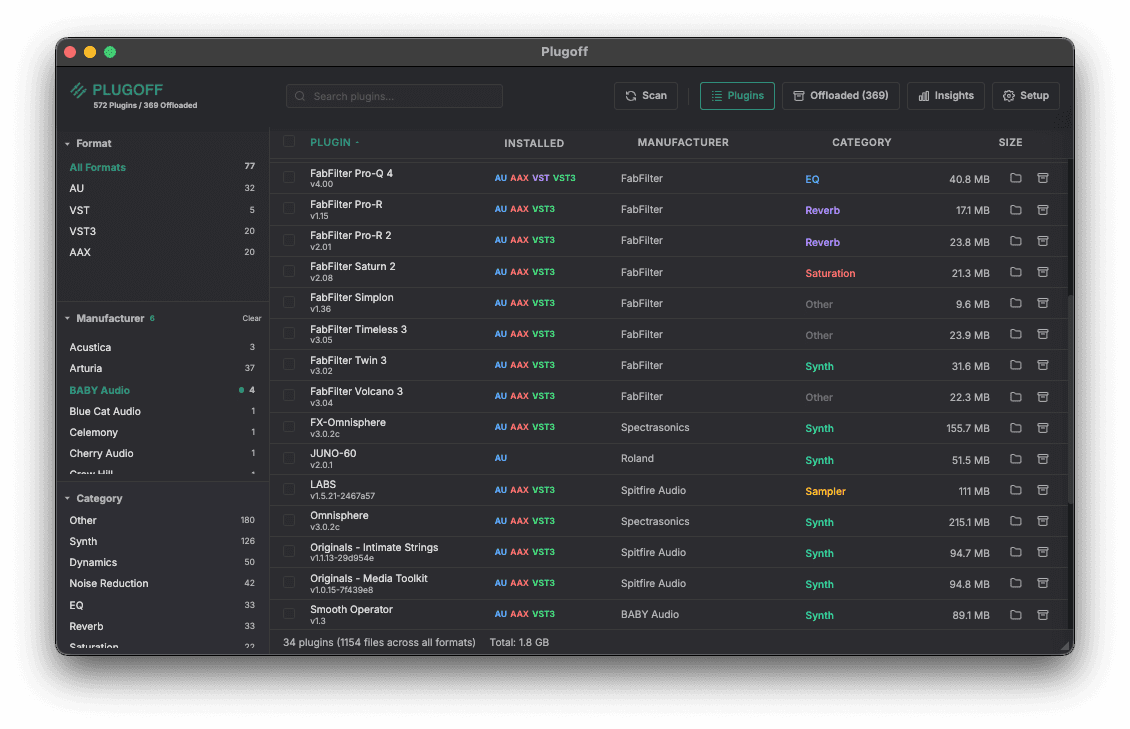
Plugoff scanning and displaying 572 plugins across all formats.
Everything you need.
Plugin Organiser
Automatically filters and sorts by manufacturer, plugin type, and format (AU/VST/VST3/AAX).
Plugin Offloading
Move unused plugins to a safe vault folder and restore them instantly when needed, or permanently delete them later on.
UAD License Detection
Separate Universal Audio authorised, demo, and expired plugins and offload the ones you don’t own.
Filter by manufacturer, format, and category — all in one view.
Scan & Organise
See every plugin on your system in one place: manufacturer, format, version, size, and category. Filter and search instantly.
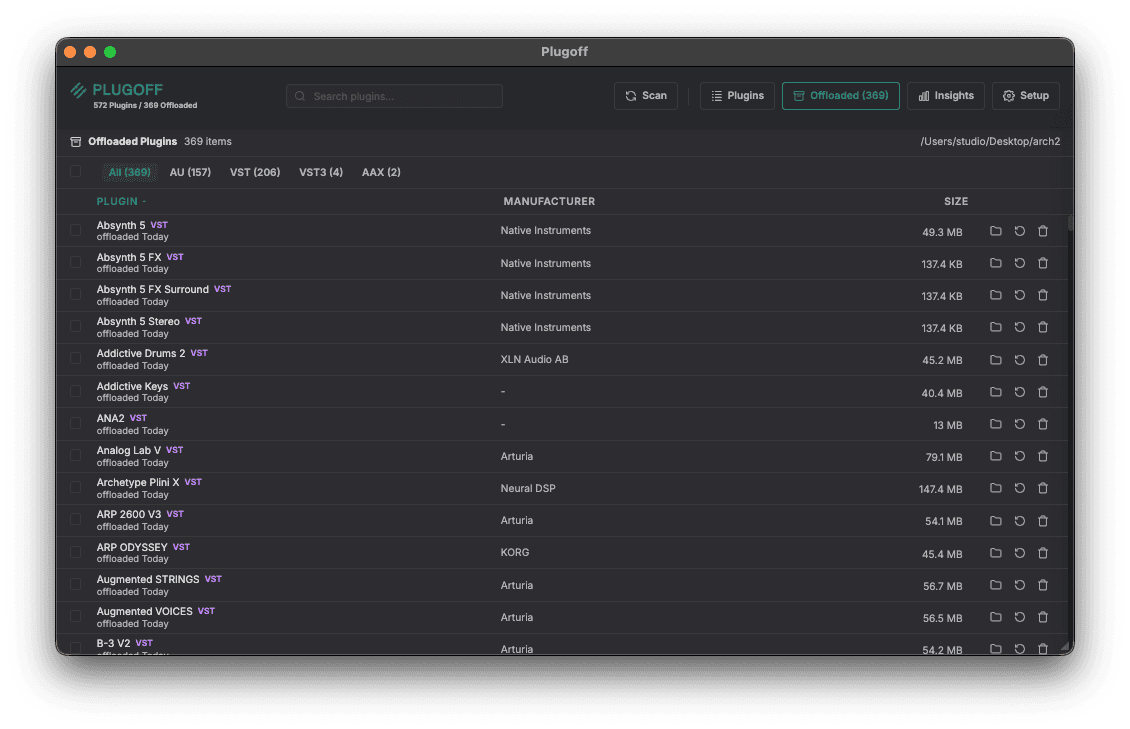
Offloaded plugins are safely stored and can be restored at any time.
Offload What You Don’t Use
Move unused plugins to a safe vault folder with one click. Restore them just as easily when you need them back. Your sessions, your rules.
Offload to an external drive to free up disk space and keep your plugins safely backed up.
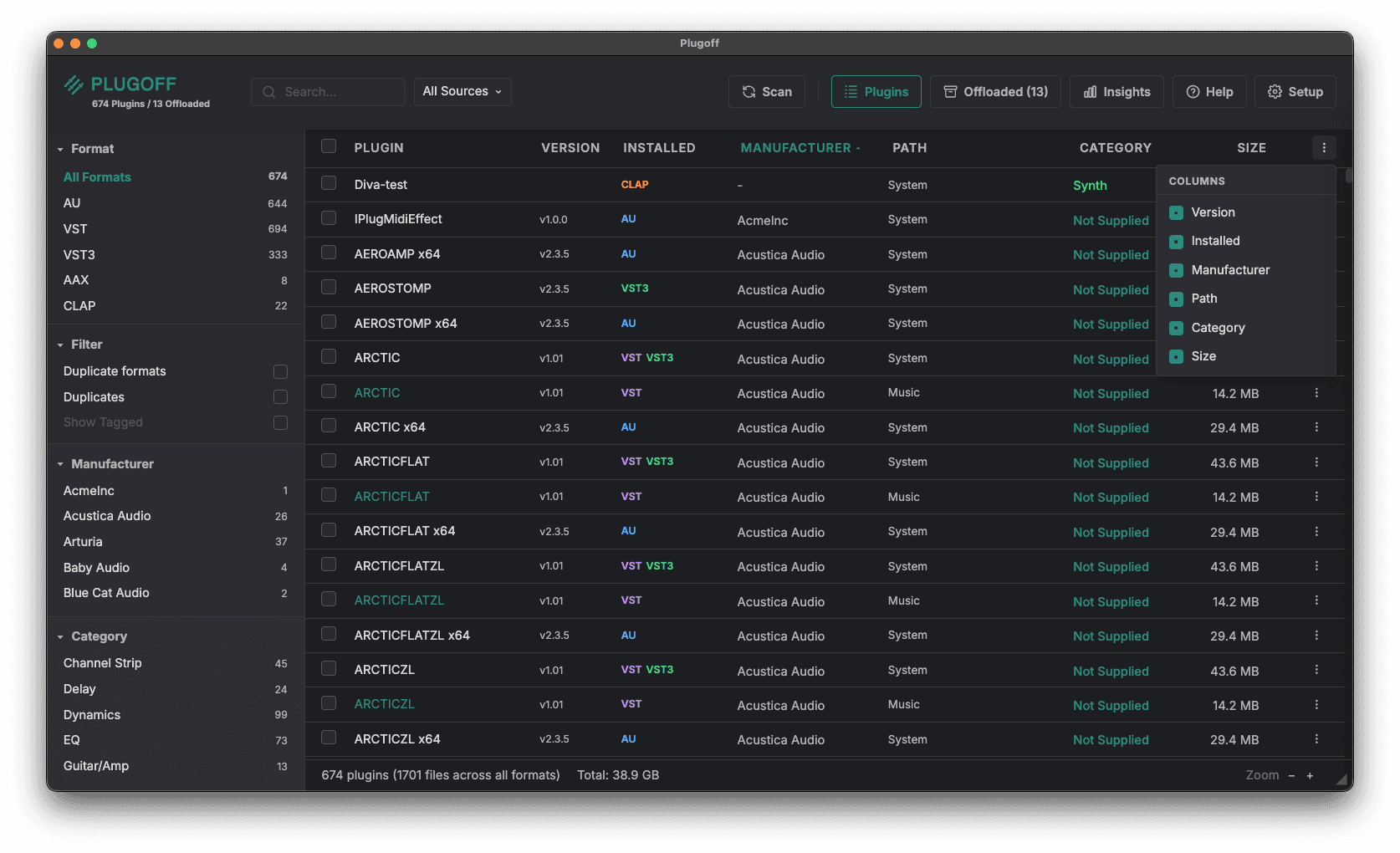
Editable manufacturers, a duplicate finder, plugin paths, and a column picker.
Your Library, Your Way
Rename or create your own manufacturer names, find duplicate plugins scattered across folders, and see the exact path of every plugin.
A new column picker lets you choose exactly which columns to show, so the view always matches how you work.
Clean up your UAD plugins.
Universal Audio users will know very well how all the unlicensed plugins litter your DAW’s plugin lists. Plugoff includes a special filter process just for UA plugins that separates out your licensed plugins, so you can clean up and offload plugins you don’t own.
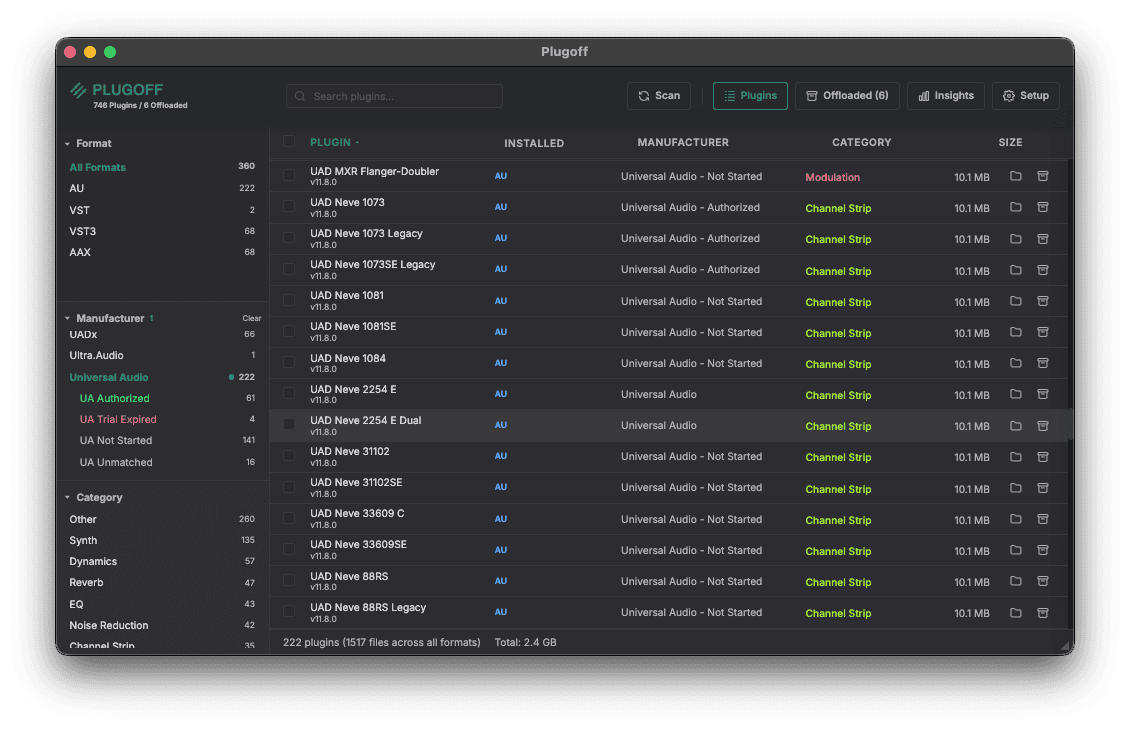
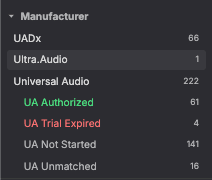
UAD plugins sorted by license status — authorised, trial, expired, and unmatched.
And there’s more.
Editable Manufacturers
Click any plugin’s manufacturer to rename it or create your own custom manufacturer name. Clean up mislabelled plugins and group them exactly how you want — preserved through rescans, offloads, and restores.
Find Duplicate Plugins
Duplicate filters surface plugins that exist in more than one place, so you can spot copies scattered across multiple folders and decide which to keep.
Column Picker & Plugin Paths
Choose which columns to show — version, installed, manufacturer, path, category, and size — and see the exact folder each plugin lives in.
Offload History
The Offloaded view shows when each plugin was offloaded, so you can spot the ones you haven’t needed in ages and permanently delete them to reclaim space.
Smart DAW Recommendations
Select your DAW(s) and Plugoff will flag redundant plugin formats you can safely offload. Running Logic? You probably don’t need those VST2 duplicates.
UAD License Detection
Import your UA Connect System Profile to see which Universal Audio plugins are authorised, in demo, or expired. No guesswork.
Dashboard & Insights
Visual breakdowns of your plugin library by manufacturer, format, and category. See how many plugins you own and how much space they use.
PDF Export
Generate a full plugin inventory report grouped by manufacturer. Great for studio audits or rebuilding new setups.
Built for Producers, Not IT
No terminal commands. No manual file moves. Just a clean interface that gets out of your way.
Need intelligent MIDI routing?
Midivex is our MIDI routing matrix for Mac. Route, filter, and transform MIDI between any combination of hardware and software — with a visual interface built for live performance and studio work.
If you’re tidying up your plugin library with Plugoff, chances are you care about a clean, efficient studio setup. Midivex is the other half of that picture.

Your intelligent MIDI matrix. Available for Mac and Windows.
Download Plugoff. It’s free.
As a thank you to our Midifex community, we are releasing Plugoff completely free for a limited introductory period.
Whether you own a Lujin MIDI controller or use our intelligent MIDI router, Midivex, or you just stumbled across this page today — lucky you! You can download the fully featured app right now at no cost.
Plugoff will transition to a premium paid product in the future, but it’s free today for Mac and Windows.