
Specialised music gear.
Designed and crafted with care.
Plugoff 1.3.0: Editable Manufacturers, Duplicate Finder & Column Picker
Rename or create your own manufacturer names, find duplicate plugins across folders, see every plugin's path, pick your columns, and a fully rebuilt Offloaded view. Still free.
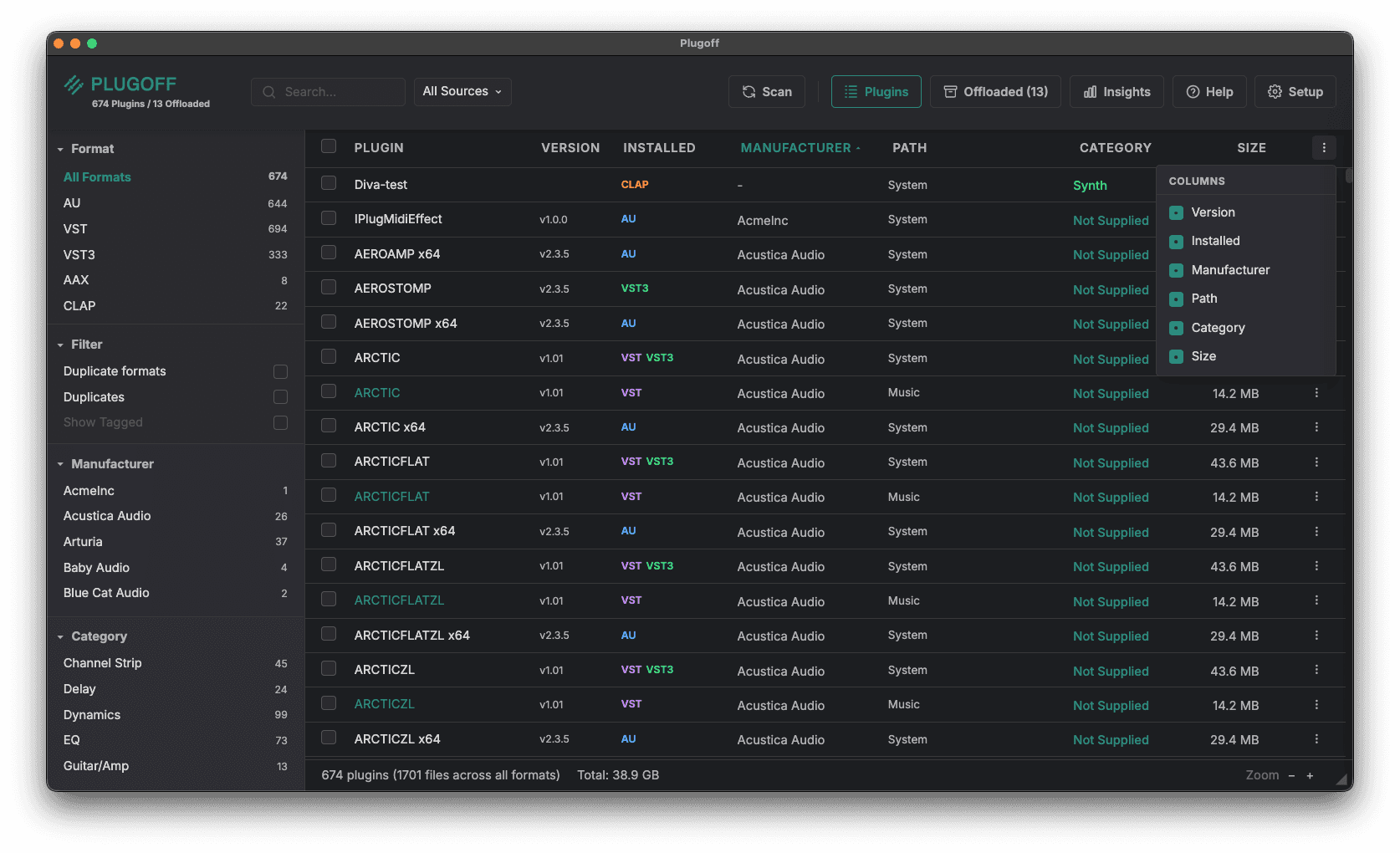
Plugoff 1.3.0 is a big organisation-focused update. You can now rename or create your own manufacturer names, find duplicate plugins scattered across folders, see the exact path of every plugin, and choose which columns to show. The Offloaded view has also been rebuilt from the ground up. Still free.
New Features
Edit & create manufacturer names
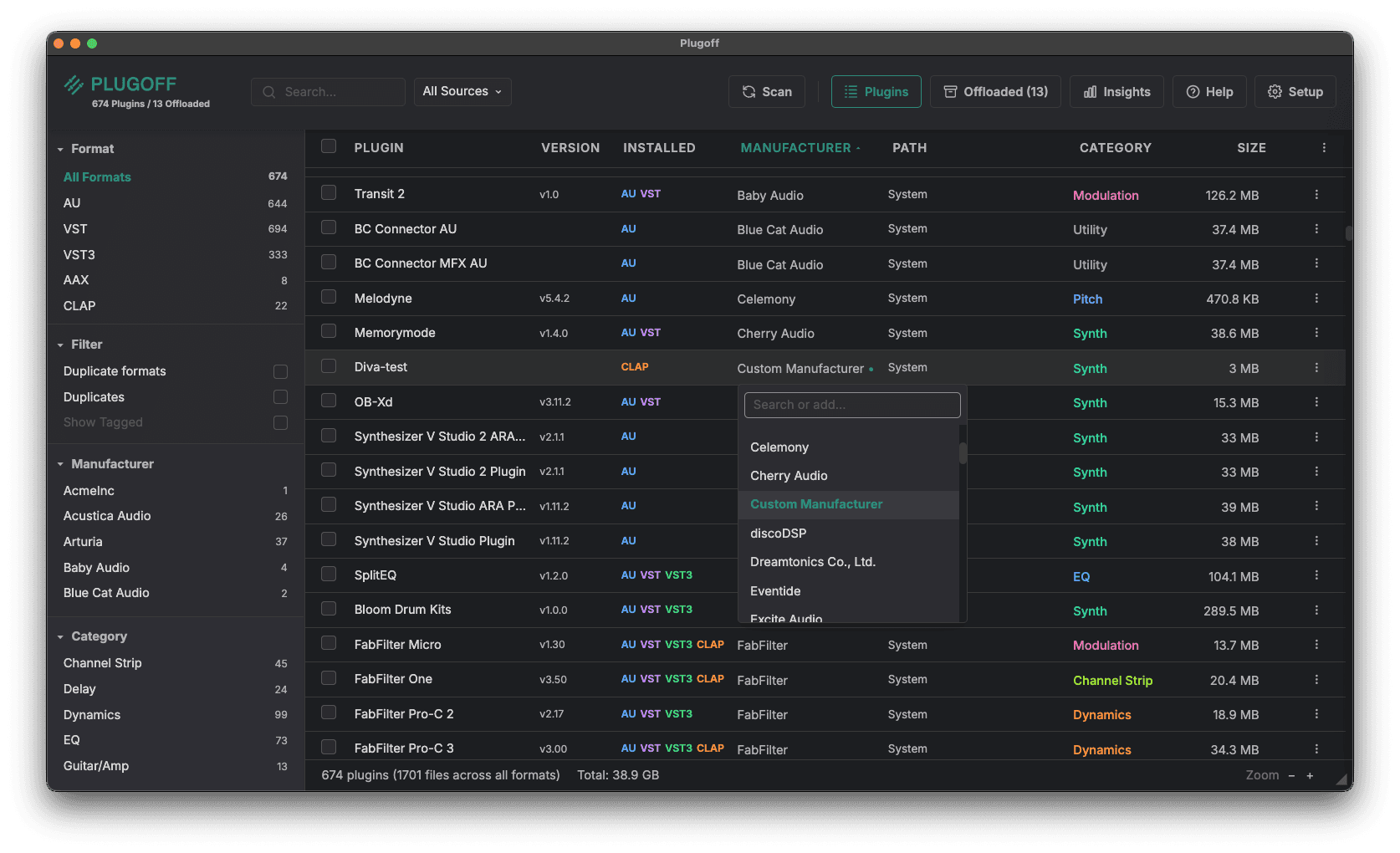
Click any plugin’s manufacturer to change it, then pick from the existing list or type your own custom manufacturer name. Clean up mislabelled plugins and group them exactly how you want. Your manufacturer edits are preserved through rescans, offloads, and restores.
Find duplicate plugins
New Duplicate formats and Duplicates filters surface plugins that exist in more than one place, so you can spot copies scattered across multiple folders and decide which to keep or offload.
Plugin paths & a column picker
A new Path column shows the exact folder each plugin is installed in, and a column picker lets you choose which columns to display: Version, Installed, Manufacturer, Path, Category, and Size. Build the view that suits how you work and hide the rest.
Rebuilt Offloaded view
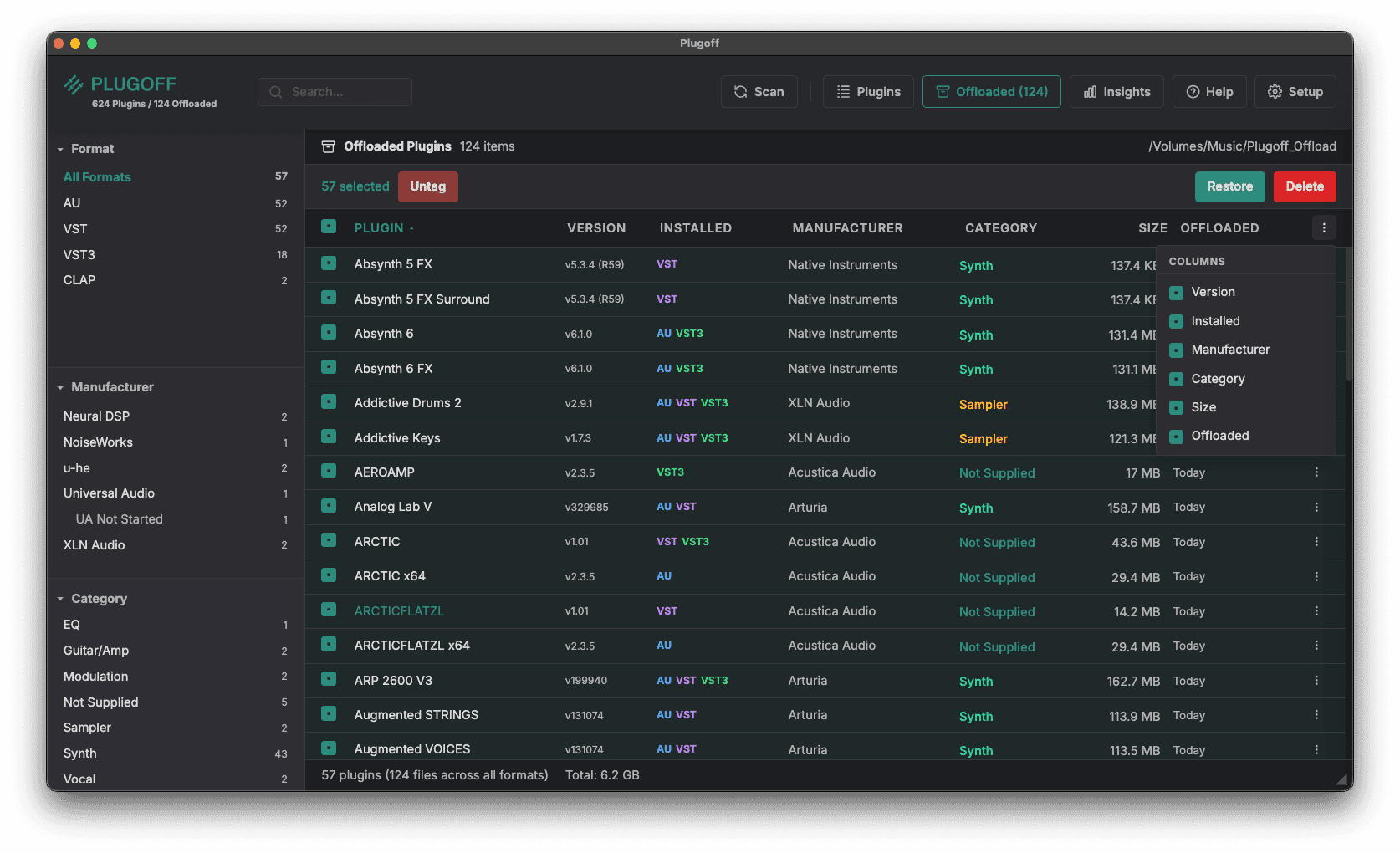
The Offloaded view has been rebuilt to match the main plugins view, with full columns, filters, and the same column picker. Managing what you’ve offloaded is now just as powerful as managing what’s installed.
See when you offloaded a plugin
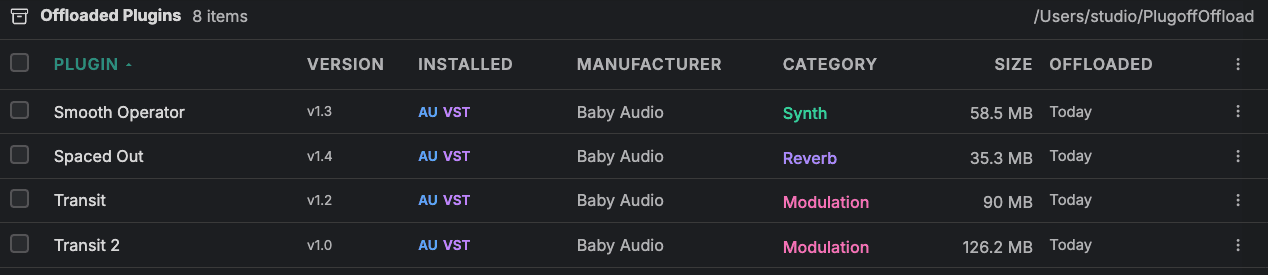
The Offloaded view now shows when each plugin was offloaded. If something has been put away for ages and you have never needed it back, that is a good sign you can permanently delete it and reclaim the space for good.
Improvements & Fixes
- Plugoff remembers its window size, position, and which monitor it was displayed on
- App scaling no longer overlaps the search box
- Cancelling an offload or restore now leaves everything untouched with a clean rollback, instead of a half-finished state
- Fixed mono variants being mis-named (looking like duplicates) after offload or restore
- Fixed format-filtered selection ticking both formats of a plugin with one click
- Fixed a subcategory not being saved on cross-volume offloads (previously “Not Supplied”)
Do a manual plugin scan after updating to see all improvements.
Also from Midifex
Midivex is your intelligent MIDI router. Connect any combination of hardware synths and software, add creative MIDI effects, and control everything from one visual interface. Available for Mac and Windows with a free tier to get started.